DCO & PWM
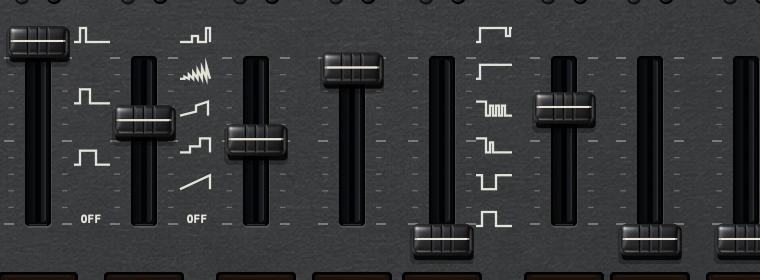
Pulse and saw shapes, sub oscillator, noise, range and pulse-width controls. DCO envelope and modulation depths stay within reach.
 / STORE
ALPHA JUNO / MKS-50
HARDWARE PROGRAMMER
+ SOFTWARE INSTRUMENT
 REEZA’SALPHA LAB
Automate your Alpha Juno or MKS-50 and save its patch with your DAW project. Play the built-in software emulation when your hardware is somewhere else.

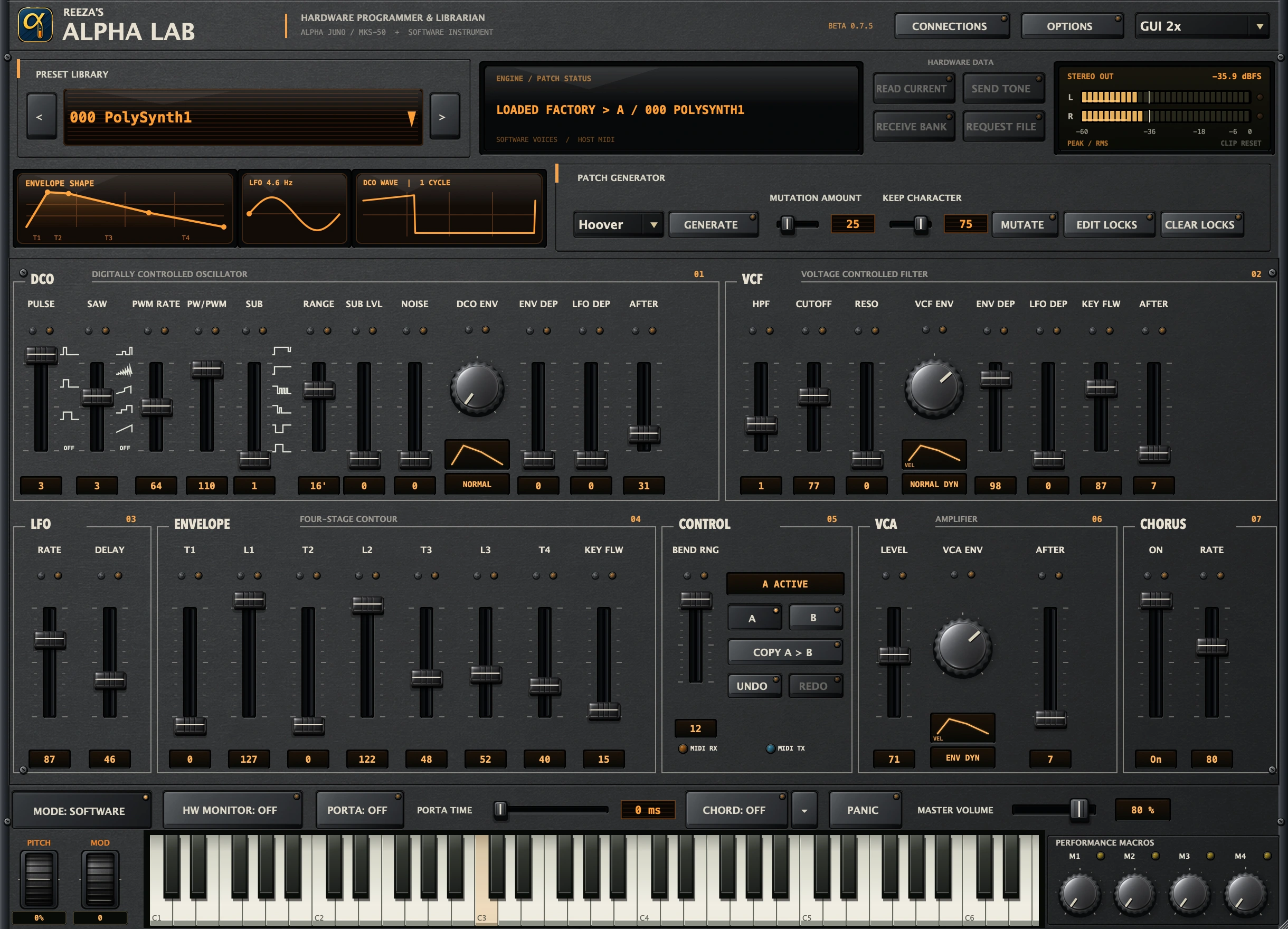
Edit your Alpha Juno or MKS-50 from the same panel you use in your DAW. The hardware makes the sound; Alpha Lab sends its tone settings over MIDI SysEx.
Connect and configure your synth and MIDI/SysEx interface before reopening the project. Hardware audio needs a separate audio input and routing. Hardware automation follows MIDI and synth update limits; it is not sample-accurate.
Edit the connected synth and record parameter automation in your DAW.
The plug-in stores its tone settings and selected mode in the DAW project.
In Hardware Mode, the stored patch is sent back to the connected synth's temporary tone buffer.
Project recall restores tone settings; it does not record hardware audio or write the patch permanently into the synth's preset memory. Save the hardware audio separately when you need a fixed recording.
Start with a Hoover, Pad, Bass or another patch category. Generate a new tone, then develop it with mutation and parameter locks.
Send the resulting tone settings to your Alpha Juno or MKS-50 over MIDI SysEx.

Generation happens in the plug-in, not on this page. Hardware programming requires a compatible MIDI/SysEx connection; hardware audio needs separate routing.
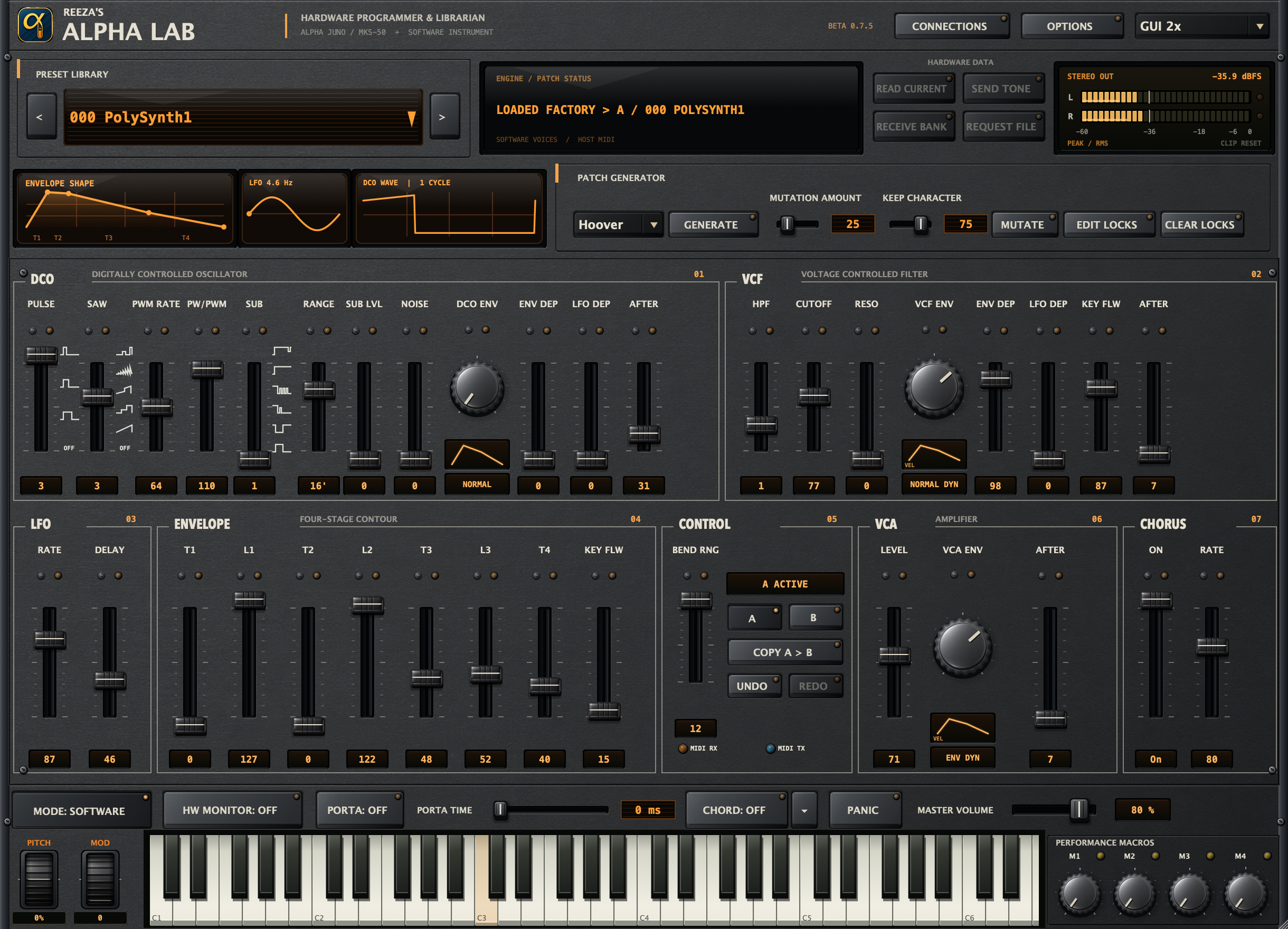
The plug-in's DCO display previews the selected oscillator shapes and macro settings. Envelope and LFO displays sit alongside it.
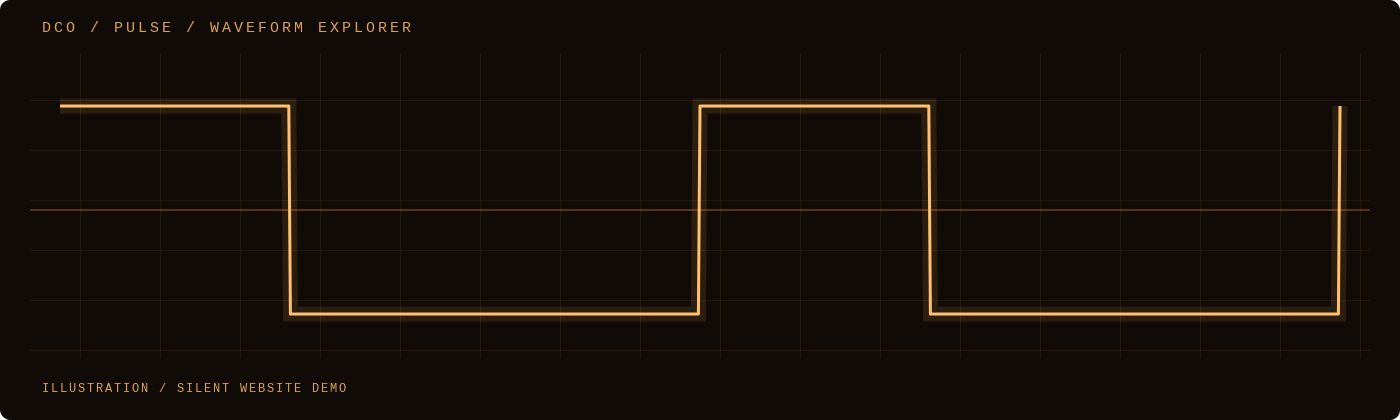
Pulse / illustrative waveform.

The large scope above is a silent, illustrative website explorer. It is not live audio or a measurement of the plug-in. The plug-in's DCO screen is a waveform preview; fast PWM is drawn in slow motion for readability.
From the oscillator sources to the final output, with performance controls and patch management around the same panel.
Pulse and saw shapes, sub oscillator, noise, range and pulse-width controls. DCO envelope and modulation depths stay within reach.
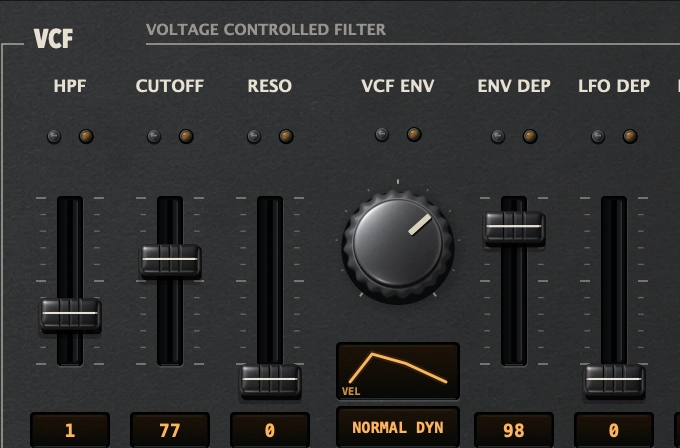
Set cutoff, resonance and high-pass filtering. Shape the response with envelope depth, LFO depth, key follow and aftertouch.
Rate and delay controls with a dedicated LFO display. Set modulation depth in the oscillator and filter sections.
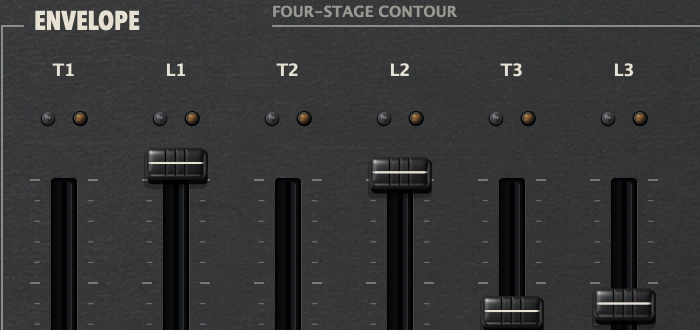
Program T1/L1, T2/L2, T3/L3 and T4 with key follow. Dedicated DCO, VCF and VCA envelope-mode displays show the selected response.
Control tone level, VCA envelope mode and aftertouch response. Keep patch level separate from the final master volume.
Switch chorus on or off and adjust its rate from the front panel. Software chorus matching remains under hardware comparison.
Browse categories and use load, init, save, save as, import and export. The commercial preset library will include only rights-cleared content.
Keep two patch states, copy A to B and step back through edits. Bend range and MIDI activity indicators share the Control section.
Keyboard, pitch bend, modulation and four assignable macros. Chord, portamento and panic controls sit beside mode switching and hardware monitoring.
Left/right sample peaks, RMS, peak hold and a resettable clip indicator. Readout is in dBFS; this is not an oversampled true-peak meter.
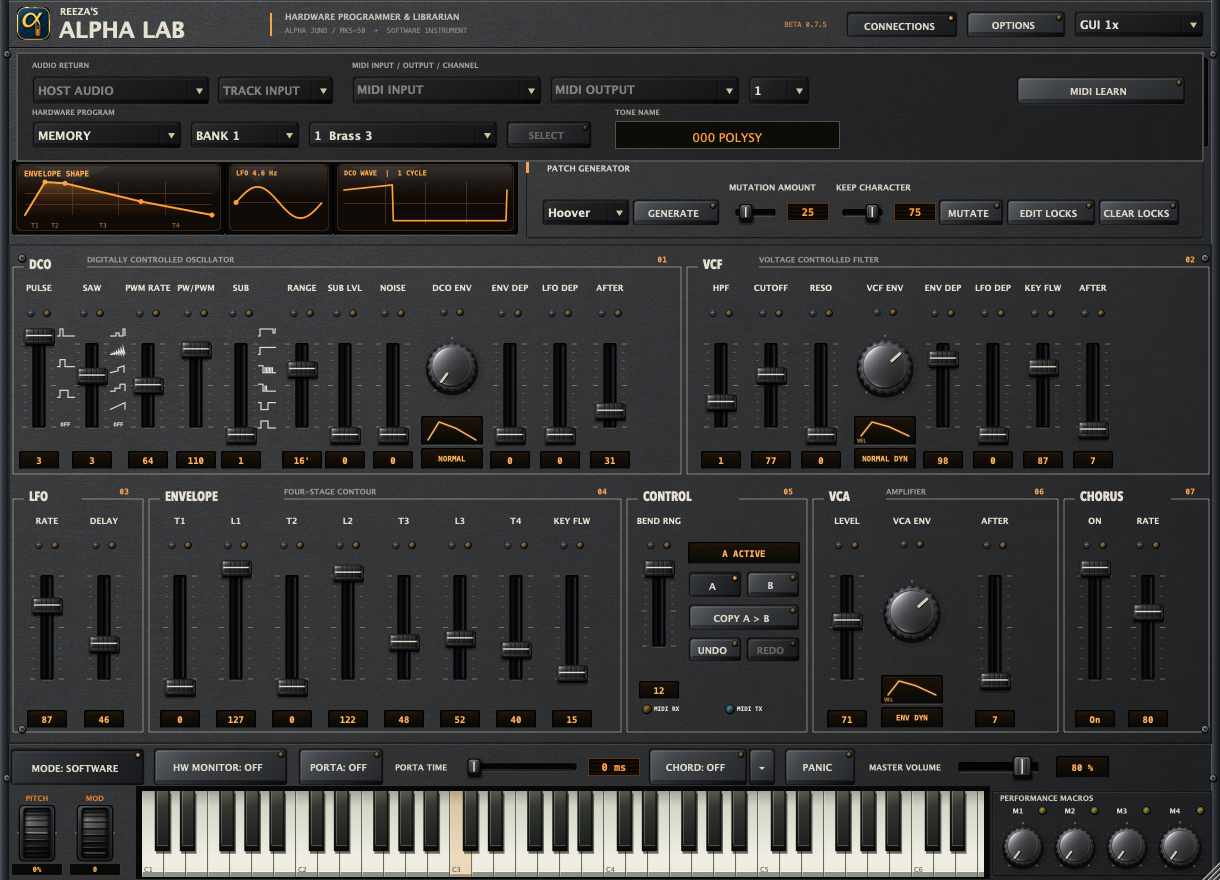
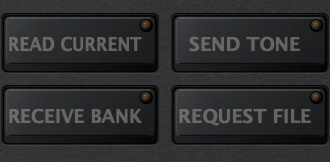
Choose MIDI ports/channel and audio input routing. Read or send tones, receive banks and use MIDI Learn. GUI scale and additional options sit in the top bar.
Images show the actual 0.7.5 beta interface. Feature descriptions are checked against the development source; final platform and hardware behavior require release validation. The software engine's remaining PWM, envelope, chorus and voice-interaction differences are still being investigated.
Alpha Lab is also a software synth that emulates the Alpha Juno.
In Software Mode, the plug-in generates the audio itself. Play and automate it in your DAW with your hardware disconnected. Its patch settings are saved with the project.
Use the same panel to build patches on your laptop. Back in the studio, switch to Hardware Mode and send those tone settings to your connected synth.
The software engine is in active development. A complete, indistinguishable hardware match has not been established.
 ONE PANEL / HARDWARE AND SOFTWARE MODES
An original Alpha Lab software patch.
Offline render, without added effects.
Original patch / software engine / beta
This is a software-only preview, not a hardware A/B or a promise of sonic identity. One constant playback-level adjustment; no added EQ, limiter or reverb.
Alpha Lab 1.0.0 is available as a macOS download through Hardcore=Religion for €74.99. Your installer and licence are available in My HIR after payment.
macOS installer with AU, VST3 and standalone app. This installer is not signed with an Apple Developer certificate; macOS may block installation.
A release-matched Windows installer and host validation are still required. Windows availability is not confirmed.
Alpha Juno / MKS-50 programming via compatible MIDI SysEx. A MIDI interface and separate audio connection are required to hear the hardware.
The one-time licence covers the purchased major version on two of your own computers. No subscription. After initial activation, offline use has no expiry. An owner-revoked licence stops at the next verified online check.
Both. Hardware programming and patch management are the core. Software Mode is an instrument that works without connected hardware.
Yes. Alpha Lab 1.0.0 is available for macOS at €74.99. After payment, download the installer and view your licence in My HIR.
A one-time purchase covers the purchased major version on two of your own computers. No subscription. After initial activation, offline use has no expiry or timebomb. Revocation takes effect at the next verified online check, not while disconnected.
My HIR shows your purchases, installer downloads, licences and active installations. You can release an unused installation there when changing computers.
The final library will include only content cleared for redistribution. Research and third-party test banks are not a commercial inclusion promise.
 HARDCORE=RELIGION / SOFTWAREREEZA’SALPHA LAB
Hardware programmer. Patch librarian.
A software instrument for the work in between.
€74.99 launch price
The one-time licence covers the purchased major version on two of your own computers. No subscription. After initial activation, offline use has no expiry. Revocation takes effect at the next verified online check.
Buy the REEZA Gabber Creator Pack for €10 and get €10 off Alpha Lab, once per account. Buy both together or apply the benefit later with the same HIR account. The 35 pack presets are also included in Alpha Lab.
Immediate macOS download after payment, with AU, VST3 and a standalone app. Manage your licence and two installations in My HIR. This installer is not signed with an Apple Developer certificate; macOS may block installation. Windows is not included.
My HIR account ↗ Browse software ↗
macOS · Version 1.0.0